 Written DownInvitation only
Say your goals out loud each morning. The app writes them down.
A goal you speak and write each day is a goal you keep. Written Down is a five-minute morning habit for your iPhone.
Invitation only. Your goals stay private.
You have set goals before.
Most people have. In January, in a notebook or a notes app. By February you could not have said what was on the list.
That is normal. A goal you look at once a year has very little to hold on to, and nothing in your day brings it back.
A goal you say every morning is different.
Three things make the difference.
Setting goals gives your days a direction.
Brian Tracy called it “the master skill of success: the ability to set goals and make plans to achieve them.” He taught it for more than 40 years.
A clear goal tells you what to do today, and what to leave alone.
Doing it daily is the part that counts.
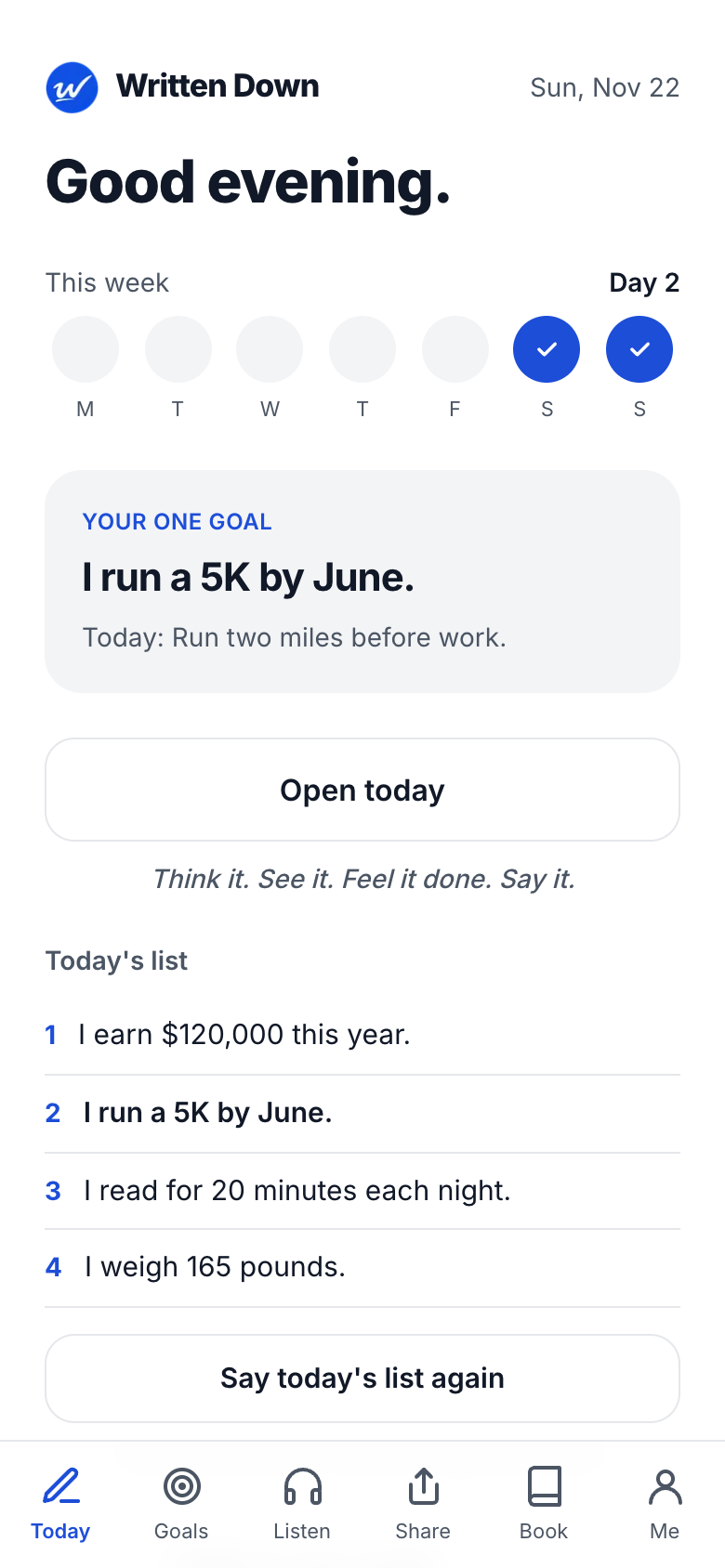
A list you say again every morning stays in front of you. You see which goals keep coming back and which ones quietly drop off. Each day you pick one goal and one thing to do toward it.
The app does nothing by sitting on your phone. The five minutes each morning is what does the work, and that part is yours.
Saying it is stronger than only writing it.
“Writing a goal down is how you keep track of it. Saying it out loud is how you give it life.”David Matthies, who built Written Down
You say each goal in the present tense, as if it is already done. “I earn,” not “I want to earn.” You hear yourself commit to it, in your own voice.
Your first morning, in three steps.
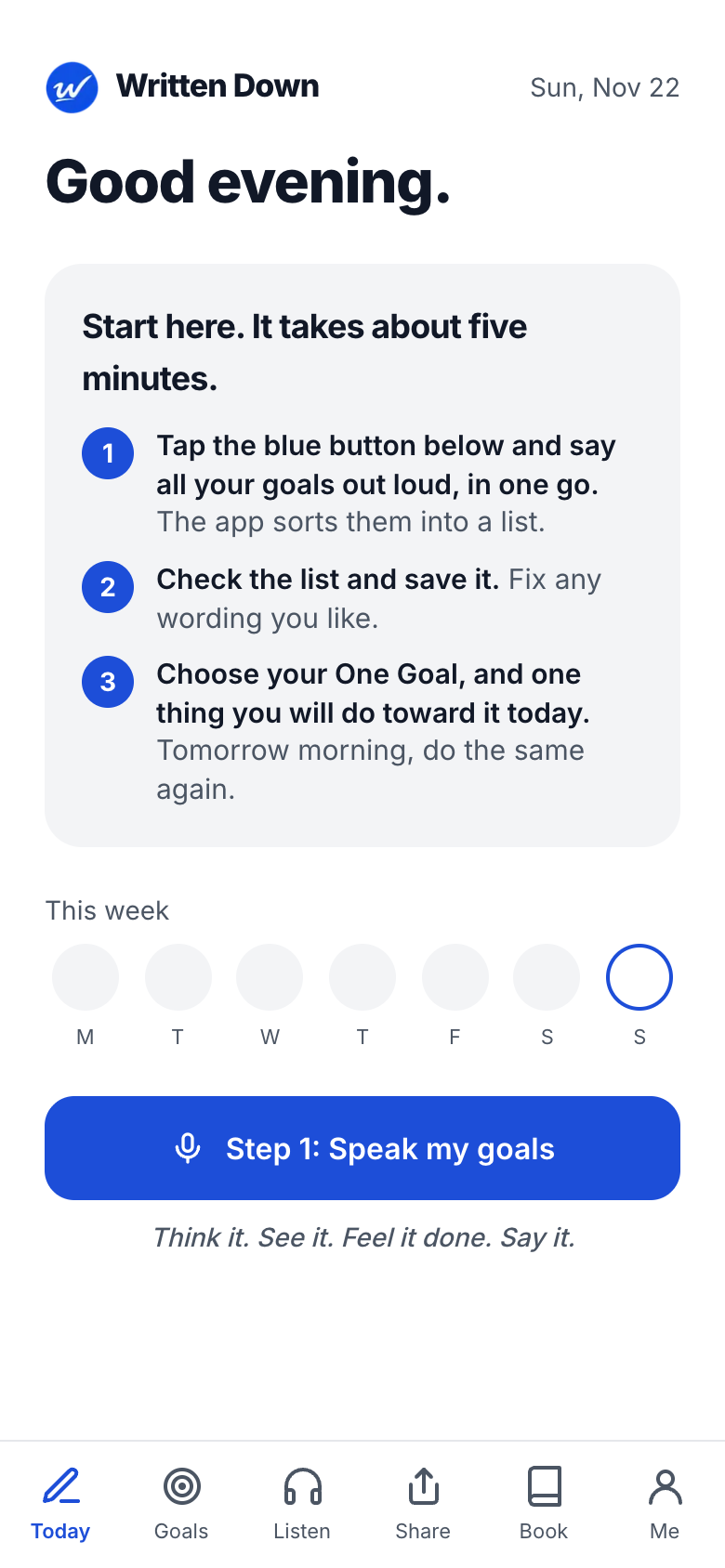
Open the app. It tells you what to do.
The first screen lists the three steps. One blue button starts you off. It takes about five minutes.
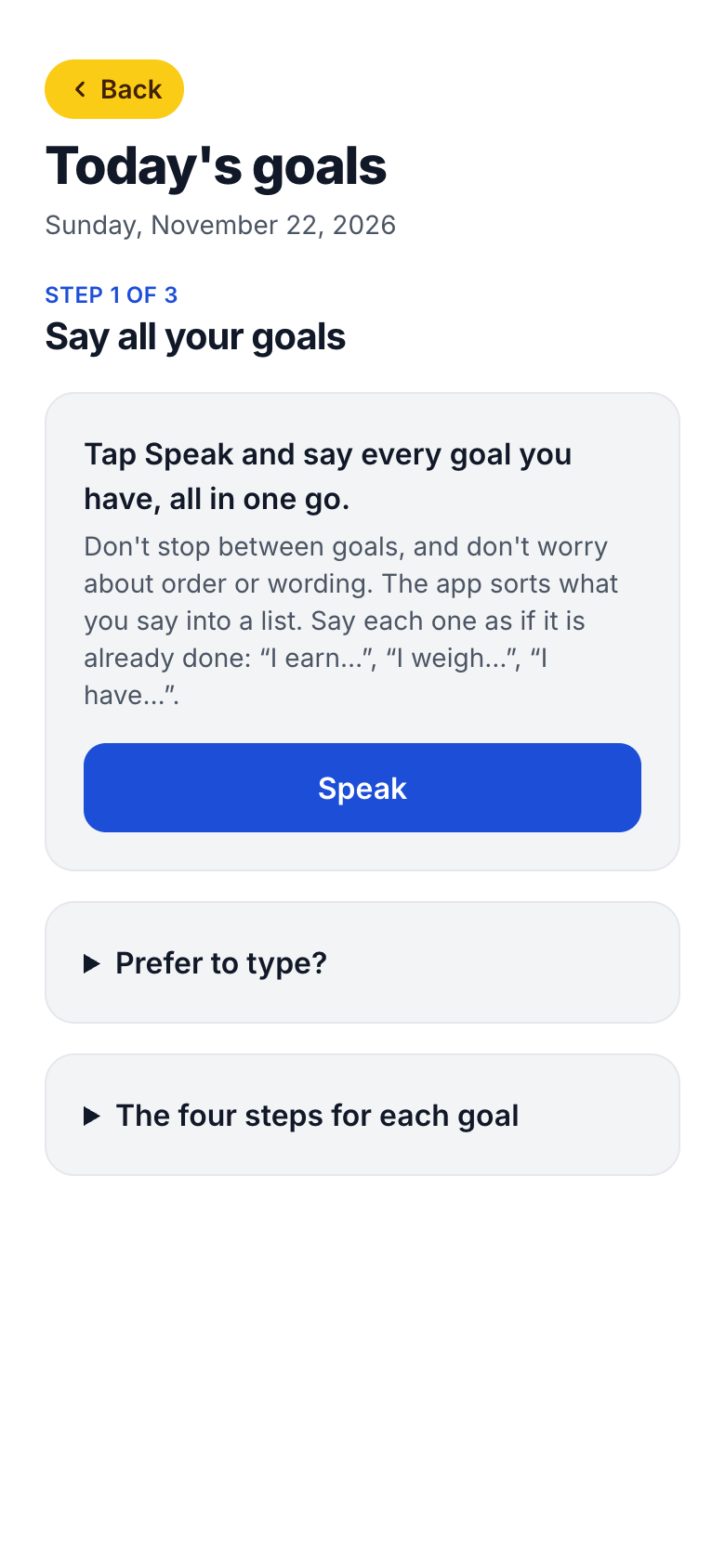
Say every goal, in one go.
Tap Speak and say them all, in any order. No stopping between goals and no typing, unless you would prefer to type. The app sorts what you say into a list.
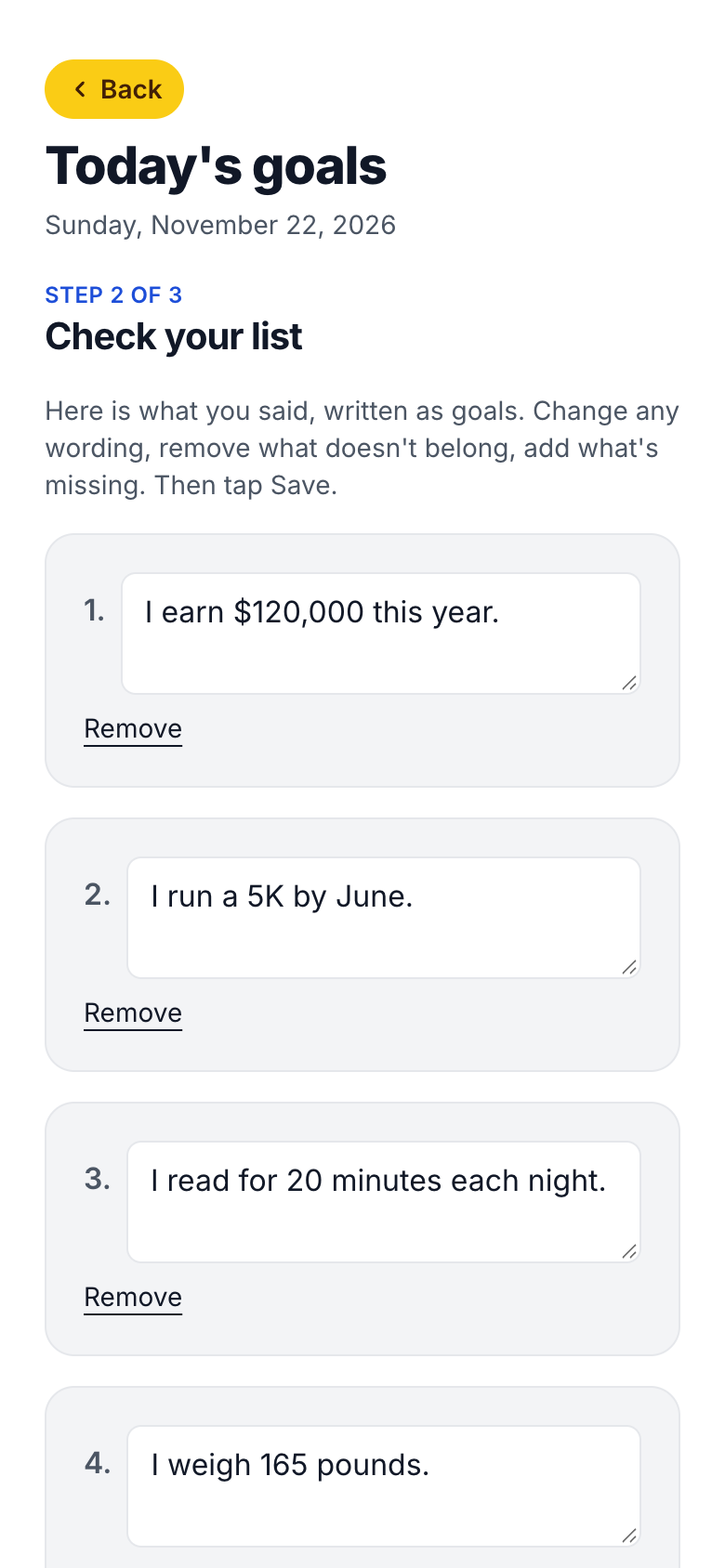
Check your list and save it.
Your goals come back written in the present tense. Fix any wording, save, then choose your One Goal and one thing you will do toward it today.
Tomorrow morning, you do it again.
Built to keep you coming back each morning.
From memory, with help when you need it
You say today's list fresh. The goals that matter come back on their own, and the app shows which ones you remembered, which are new and which dropped off. Stuck? Your last list is one tap away.
Your One Goal
The app asks which single goal would have the greatest positive impact on your life, then what you will do toward it today. You can plan it and track it.
Listen
Hear your goals read back in a calm voice of your choice, each goal five times, over a soft background. Good for the drive or a walk.
A morning reminder
At 7 am in your own time zone, by text, email or phone notification, and only if you have not written today's list yet. Change the time or turn it off.
Print your list
Your latest goals on one clean page, to print or save as a PDF.
Private by design
You have your own account. Nobody else can see your goals, including the person who invited you.
A thank-you, from someone he taught.
I first met Brian Tracy's teaching in 1985, through my father's company, Peak Performance Training. In 2001 I built EmpowerMe!Online, which streamed Brian's seminars, starting with Maximum Achievement, to the world years before anyone called it streaming.
For more than 40 years, through his books, seminars and programs, he taught millions of people the same thing: set goals, and make plans to achieve them. His book Goals! (Third Edition) is the place to start.
Brian Tracy passed away on November 12, 2026.
“This app is my thank-you. It is built on what he taught and made in his honor, so the master skill can do for you what it did for me.”
David Matthies
Written Down is made by David Matthies in Brian Tracy's honor. It is not affiliated with or endorsed by Brian Tracy, his family or Brian Tracy International.
Three steps, and no App Store.
- Request your invitation here. Written Down is invitation only.
- It arrives by text. Open the link in Safari on your iPhone, tap Share, then “Add to Home Screen”.
- Open Written Down from your Home Screen and sign in with your mobile number. A 6-digit code is texted to you.
Six things to ask before you start.
Will this work if I just install it?
No. The app does nothing by sitting on your phone. What helps is saying your goals every morning and doing one thing toward one of them that day.
Why say my goals again every day when I could keep one list?
A list you wrote once is easy to stop looking at. Saying it fresh each morning keeps it in front of you, and it shows you which goals keep coming back and which ones you have quietly let go.
Why out loud? Isn't writing enough?
“Writing a goal down is how you keep track of it. Saying it out loud is how you give it life.” When you speak a goal, you hear yourself commit to it in your own voice.
Why say “I earn” when I don't earn it yet?
The four steps are Think it, See it, Feel it done, Say it. Saying a goal as if it is already done is part of feeling it done. “I want to” keeps the goal at a distance.
What if a goal stops showing up on my list?
That tells you something. The app shows which goals dropped off since your last list. You can add one back with a tap, or let it go.
I've said my list. Now what?
The app asks which one goal would have the greatest positive impact on your life, then what one thing you will do toward it today. The next day it asks whether you did it.
Start tomorrow morning.
Request your invitation today. When it arrives, add Written Down to your Home Screen. Tomorrow morning, before the day gets going, say your first list out loud.
Five minutes. Then again the next day.